South Carolina Water Utilities

Pay Your Bill Online

Sign In

  • Utilities by State
    • Alabama
    • California
    • Florida
    • Louisiana
    • Oregon
    • South Carolina
    • Texas

My Account

My Account

Forgot username or password

Need a profile? Sign Up

  • Customer Care
    • South Carolina Neighborhood Dashboard
    • Payment Options
    • Start Or Stop Service
    • Rates and Tariff
    • Applications and Forms
    • Helpful Links
    • Customer Assistance Resources
    • Bill Of Rights
    • Our Mission And Values
  • Q&A
    • Lowcountry, Charleston, Beaufort-Area
    • Midlands, Columbia-Area
    • How to Read Your Bill
  • Water Quality
    • Lead and Copper Information
    • Lead and Copper Survey
  • Backflow Regulations
  • New Development
  • H2ome
  • Contact Us
  • Careers

In-Person Payment Instructions

You are here: Home / South Carolina Customer Care / In-Person Payment Instructions
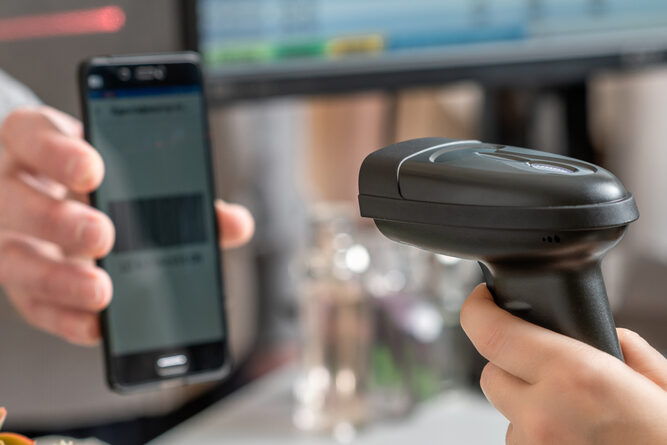
stock

Within My Account, the “Cash” option allows you to pay in person at these locations: 7/11, ACE Cash Express, CVS, Family Dollar, Food Lion, Giant Eagle, Kroger, Love’s, Meijer, Speedway, Walgreens, Winn Dixie. To pay at these locations, a payment barcode is needed. 

Here’s how to make a payment at any of the locations mentioned above: 

Print this webpage if you would like these instructions for reference. 

Step 1: Log into or Create a My Account  

Visit the website here: account.mywater.us and log in. 

WATCH: How to sign up for My Account 

Step 2: Within My Account, under “payments,” click on “Make A Payment.”   
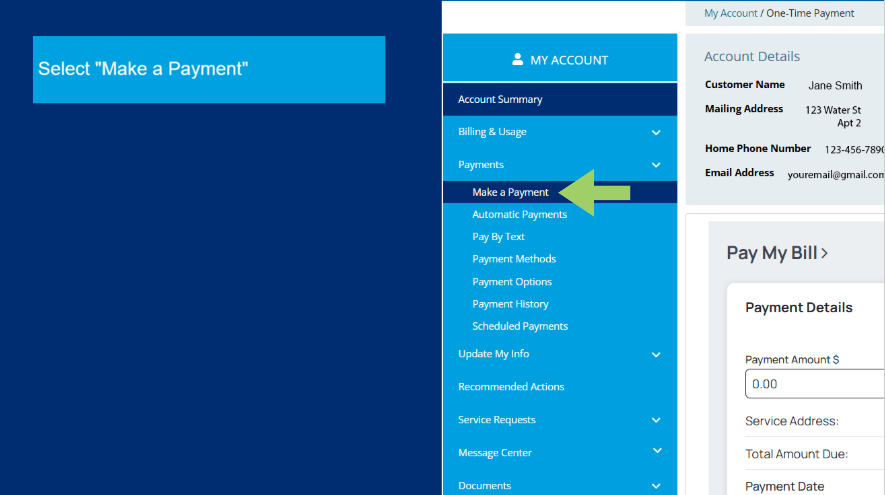
Screenshot

Step 3:  Then select the “cash” payment option, enter the amount to pay, and choose a retail location from the provided list to make the payment.
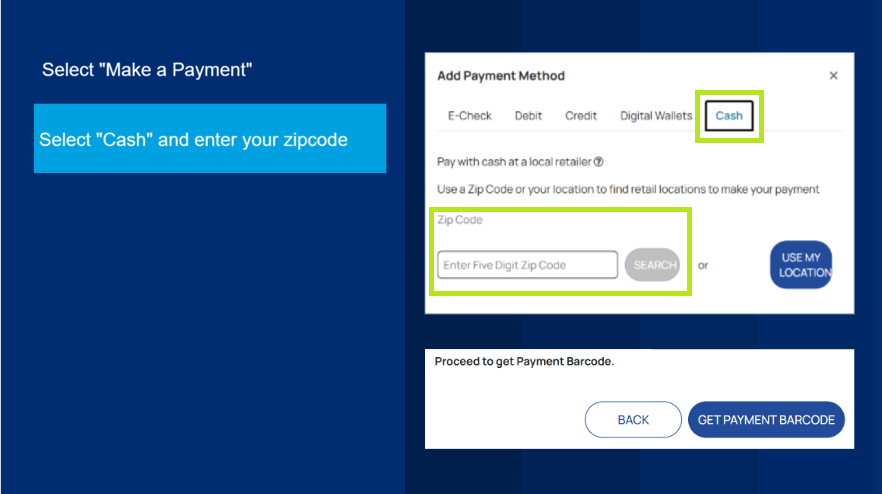
Screenshot

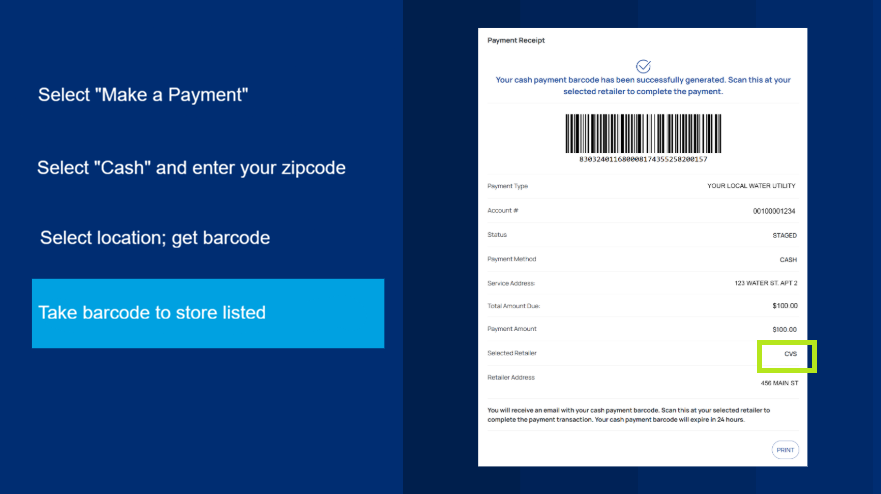
Step 4: Once selected, the portal will provide you with a payment barcode. You must present the barcode to the retail location previously selected to make your payment. 
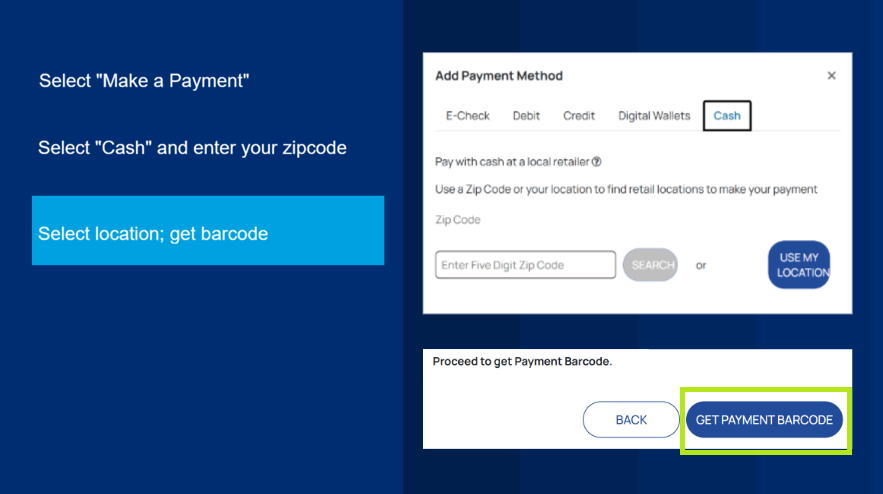
Screenshot

Payment Barcode Important Information 

When following the prompts with the “Cash” payment option, you will be asked how much you would like to pay in person and where you would like to complete the payment. The payment barcode will then generate the amount and location you have selected. You must bring and present the payment barcode to continue with the payment option. The payment barcode is valid only for the selected store, and the amount stated must be paid in full. The payment barcode will not work at another store.  

Additionally, the payment barcode is valid for only 24 hours. Once expired, you will need to generate a new payment barcode.
Screenshot

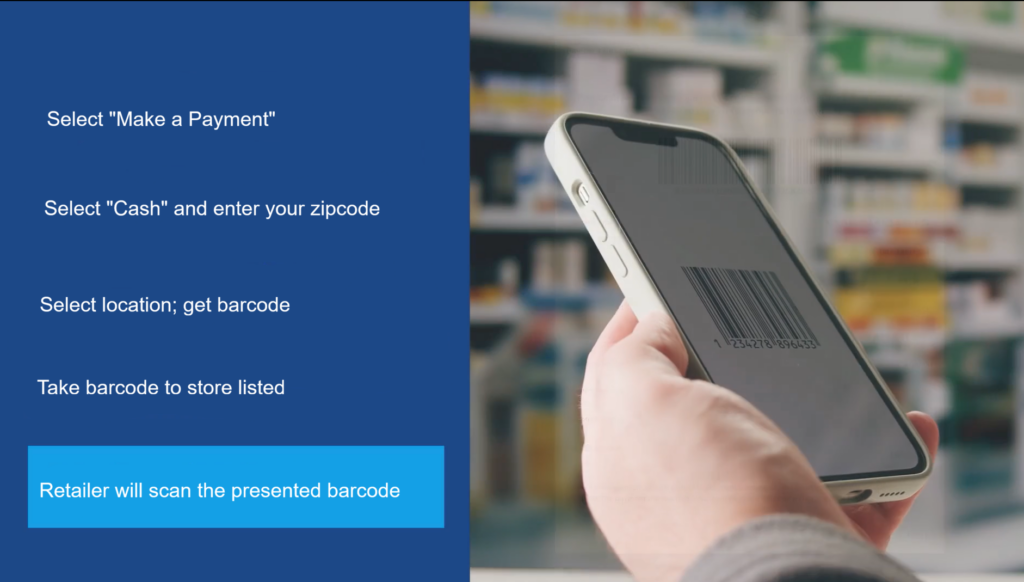
Step 5: Once at the retailer, present the barcode to the cashier, who will scan it, and then you can complete your payment. Remember, you will only be able to pay the previous amount indicated on the payment barcode. The preset amount is listed on the barcode. 
Screenshot

Customer Service

Midlands, Columbia, Lexington Areas:

Telephone: 803-699-2422
Fax: 803-699-6925
Email: SCMidlandsCustomerCare@swwc.com

Hours of Operation:
Monday-Friday 8:30 am to 4:30 pm ET.

Lowcountry, Charleston, Beaufort Areas:

Phone Kiawah Island: 843-768-0641
Phone Beaufort: 877-977-7992
Phone CUC: 843-987-2727
Fax: 843-768-1816
Email: SC-customerservice@swwc.com

Hours of Operation:
Monday-Friday 8:30 am to 4:30 pm ET.

Emergencies

For your convenience and safety, maintenance team members are available 24 hours a day, 7 days a week to handle emergency situations. 

In the event of an emergency, please call the customer service number shown above. If calling outside of office hours, please follow the prompts for emergency notification.

News Around South Carolina

How to Sign Up for My Account

Learn How to Sign Up for My Account

Team Celebration

Team Celebrates the Holidays and Presents Awards

SCWU Sponsors Cayce West Columbia Holiday Parade of Lights

SCWU Sponsors Cayce West Columbia Holiday Parade of Lights

Thanksgiving South Carolina

Happy Thanksgiving from SCWU

Installation of New Meters

Installation of New Meters at Callawassie and Spring Islands

Footer1Text

  • Privacy Policy
  • Terms Of Use
  • Contact
Copyright © 2026 All Rights Reserved