Frequently Asked Questions (FAQ) for customers in the Columbia area, including Palmetto and Alpine/Woodland residents.
Customer Care
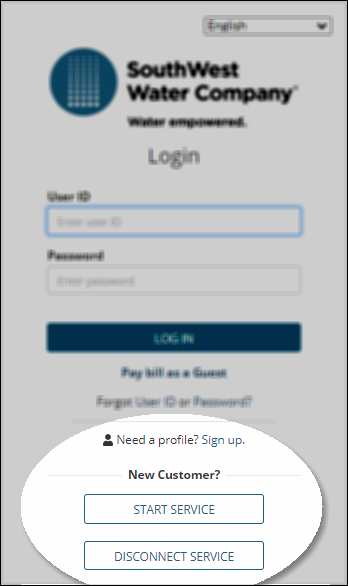
To apply for new service, visit our website Account.mywater.us. For new service, you will need to provide a copy of your lease or a signed closing disclosure, along with a copy of your state-issued identification card or passport. This can be uploaded at the time of application. Not providing this information will delay your account from being set up. You will receive a reference number when you complete this process. Please allow at least 3 to 5 business days for the application to be processed. If additional information is needed, someone from our staff will reach out to you via the email address on your application.
If you apply for service after business hours and the service is disconnected, your service may not be restored until the next business day. If you have applied and uploaded all the required documents, you can reach out to the after-hours service at 803-699-2422 for assistance.
Please see the rates and tariff page for monthly charges depending on your service territory.
To close your current service, you will need to have an online profile created to complete the process through self-service. Please provide a forwarding address for your final bill to be mailed to you directly.
When transferring to a new address, you will still need to complete an application, and if you are a current customer, you will be assigned a new account number.
Customer Care representatives are trained to assist you with a range of subjects, including setting up or closing service, account and billing inquiries, online portal assistance, service order requests, applications, or questions about your rates.
We strive to respond to email and phone inquiries promptly. Please follow the tips below to help speed up the process.
Tip #1: Be prepared and have the following information ready when calling or emailing us:
- Account name
- Account number
- Service address
- Description of the issue
Tip #2: Avoid calling when call volume is high between 8:30 a.m. and 9:30 a.m. Customer Care is available Monday – Friday, 8:30 a.m. to 4:30 p.m. ET. Call volume is usually the heaviest on Mondays.
For even faster service, email
SCMidlandsCustomerCare@swwc.com.
You can contact customer care directly through your online profile account or:
By E-mail:
SCMidlandsCustomerCare@swwc.com
By Phone: 803-699-2422 from 8:30 a.m. to 4:30 p.m. (Eastern Time)
By Fax: 803-699-6925
You may pay your bill through your online profile, as a guest, or through the automated system free of charge with a credit card with a Visa or Mastercard logo. There is a $1000 limit.
You can pay your bill at your local Walmart, however please not that payment does not post immediately. You must present a copy of your bill and there is a charge of $1.50 for this service.
You may also mail your payment to the remit address on your bill:
P.O. Box 361850
Hoover, AL 35236-1850
You can view your account summary, your current balance due, view a PDF copy of your bill, view your payment history, sign up for AutoPay, make a One-Time Payment, manage notifications, request to stop, transfer, or disconnect your service, email Customer Care, and view/upload documents, and for your convenience, all new My Account users will have paperless billing enabled.
You should apply for service as soon as you close on your property or sign your lease. If you applied for service, but did not provide the required documentation, your account has not been established. The team will send you an email requesting the information needed to complete the process. If you apply for service after hours, your service may not be connected until the next business day. The utility is not responsible for any damage incurred if the property is disconnected when you move in and the service is used.
The after-hours answering service does not have access to property information. You will need to call Customer Care on the next business day between 8:30 am and 4:30 pm at 803-699-2422.
Your bill does not have a set due date. Your bill will be due.
If your service is disconnected, a red door tag will be hung on your door. Do not use any water. There are fees applied to your account if service is interrupted. A regular reconnection fee is $35/$70, depending on your service territory. If we must install an elder valve to disconnect service, you could be charged $250/$500, depending on the territory. This fee will have to be paid at the time of reconnection of service. Once your service is reconnected, a white door tag will be hung on your door.
Your payment must be received online or through the automated system by 3 pm for the same-day restoration. Once your full payment is received, under normal circumstances, service should be restored by 5 pm the same business day. A white door tag will be hung on your door to indicate that service has been restored.
If you pay at a payment center, you will need to call Customer Service to provide your confirmation number on your receipt. Once your payment has been confirmed, a reconnection will be entered. You must provide this information by 3 pm to receive restoration on the same day.
Our field personnel are not authorized to accept payments in any form. We have several ways to pay, such as: online through the customer portal, through the automated system, at your local Walmart Money Center, or by mail. You can reach the IVR by calling 803-699-2422, option 3. If you are mailing your payment, you are responsible for ensuring that it arrives on or before your due date to avoid any late fees.
If your service has been disconnected and you tamper with the equipment, you will be charged a $250 tampering fee. This will have to be paid at the time of reconnection.
If you are experiencing a sewer emergency, always call our office FIRST. We are available Monday-Friday from 8:30 am-4:30 pm. We also have an after-hours answering service that is available to assist you. If you call a plumber first, you will not be reimbursed for any charges incurred.
We are excited to offer many ways to pay FREE of charge.
You can pay online through your online profile or as a guest.
You can set up an automatic draft with us through your online profile. Your payment will be drafted on the day your bill is due.
You can pay through the automated system (IVR). Be sure to have your account number and payment method ready.
You can also pay at your local Walmart at the Money Center. You will need a paper copy of your bill. There is a fee of $1.50 to make this payment.
You mail your payment back with the remittance slip of your bill.
We encourage you to utilize our portal, ACH, or IVR system free of charge for quicker posting to your account. It is free of charge.
If your payment is returned, you will be charged a fee of $25 for any initiated payment that returns. This includes stop payments initiated by the customer. We are charged a fee by our bank regardless of the reason for the return of your payment. Your account may also be restricted for up to 12 months from using that payment method.
We are always here to assist if you are experiencing financial hardship. You can see if you are eligible through the automated system. If your eligibility fails, you will have to speak to a representative.
If you are disconnected and not currently in an installment plan, you will be required to pay 50% of the balance upfront. If a representative takes your payment, they will create the installment plan at that time.
If you make the payment later on your own, you are responsible for notifying the office that you made the down payment so that an agreement can be made. You will then be given up to 6 installments depending on the circumstances of your account. A paper copy will be mailed to you the next day after it has been created.
The installment amount PLUS your monthly charge will be due each month on the due date. If you make your payment late, or not at all, you will be mailed a default letter allowing 15 days to make your payment. If payment is not received within 15 days, your service will be disconnected. You cannot set up an installment plan if you already have one.
We partner with Wateree Community Action. You can visit their website at www.wcai.org. You can also see the link for South Carolina Community Assistance Resources for additional help.
If you are experiencing a sewer emergency, always call our line 803-699-2422 FIRST. We have an after-hours answering service that is available to assist you. If you call a plumber first, you will not be reimbursed for charges incurred.
All transactions are processed through a secure website and all data transactions are encrypted. Any personal information that you enter (like name, address, credit card number, etc.) will be used only for particular one-time transaction and will not be saved on our system or shared for any other purpose.
Email customer care at
SCMidlandsCustomercare@swwc.com with your full name, account number, contact information, and dispute details (including why you are disputing the bill and the amount and billing date period). A customer care representative will forward the information to billing for review. Allow at least 2 business days for a response.
Rates and Fees
A fee of $20 or $30 is used to defray the cost of initiating service. It will be billed to you on your first bill.
If you are a homeowner and rent your property, you will be charged this fee each time the property is placed back in your name when a tenant moves out.
We are allowed to backbill a customer that benefited from service while living in a home for up to six months based on regulation 103-533.2. This determination will be based on the closing date on the HUD statement or the lease agreement provided.
A fee of $20/$25.00 will be charged to each customer to whom the Utility mails the notice as required by Commission Rule R.103-535.1 prior to service being disconnected. This fee assesses a portion of the clerical and mailing costs of such notices to the customers creating that cost.
The certified letter notice provides you with the time frame that you must pay the indicated amount. Once the notice expires, you will owe all past due amounts on the account.
As a regulated company, we are required to charge rates that are set by the South Carolina Public Service Commission and are fair to all customers. Utility rates are calculated based on the cost of operating and maintaining the water and wastewater systems, supplies and materials, as well as capital expenditures for infrastructure, such as pipelines, treatment facilities, pumping stations, storage tanks, equipment, and buildings. Daily operating costs include but are not limited to the following: chemicals; laboratory testing; electricity; fuel, and the salaries of technicians, field operators, administrative personnel, and others who help run the water utility.
Please visit our Rates and Tariff page for more information.
The South Carolina Public Service Commission regulates our rates. A 1.5% late fee is charged automatically if your payment is not received on the due date. There is no grace period.