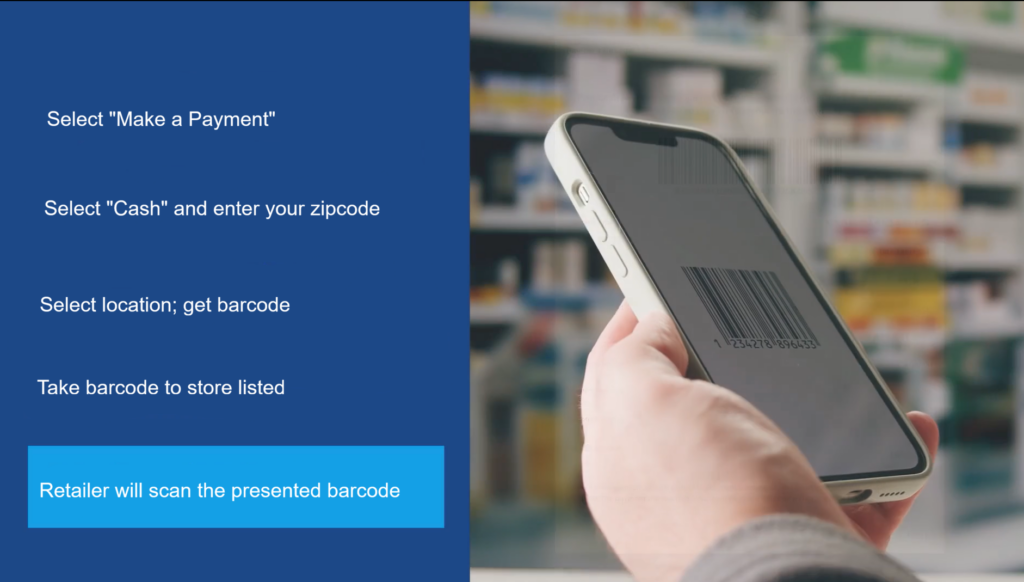
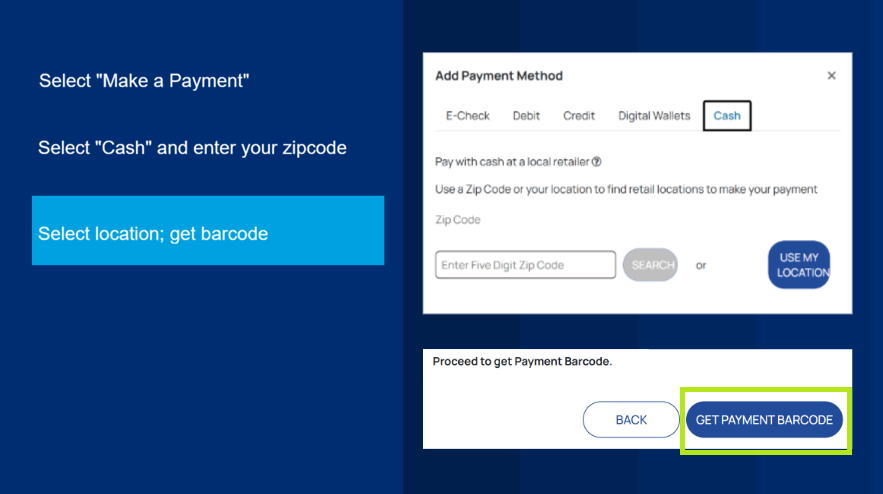
Within My Account, the “Cash” option allows you to pay in person at these locations: 7/11, ACE Cash Express, CVS, Family Dollar, Food Lion, Giant Eagle, Kroger, Love’s, Meijer, Speedway, Walgreens, Winn Dixie. To pay at these locations, a payment barcode is needed.
Here’s how to make a payment at any of the locations mentioned above:
Print this webpage if you would like these instructions for reference.
Step 1: Log into or Create a My Account
Visit the website here: account.mywater.us and log in.
WATCH: How to sign up for My Account
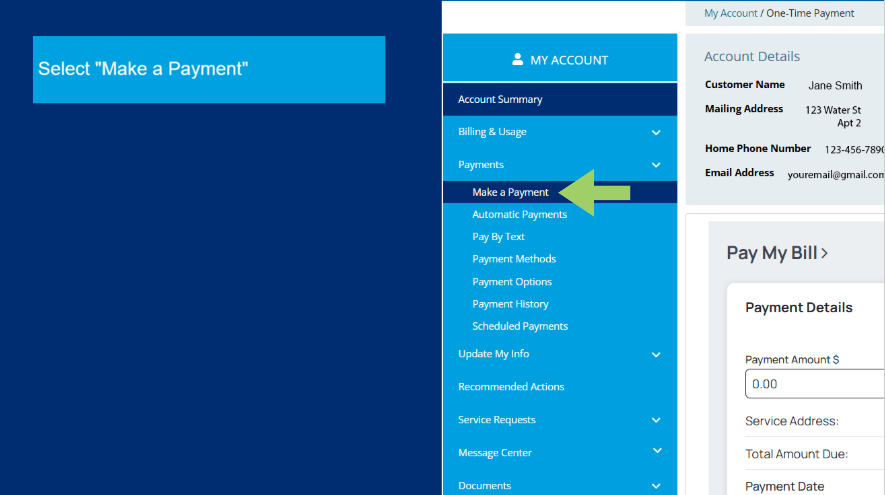
Step 2: Within My Account, under “payments,” click on “Make A Payment.”
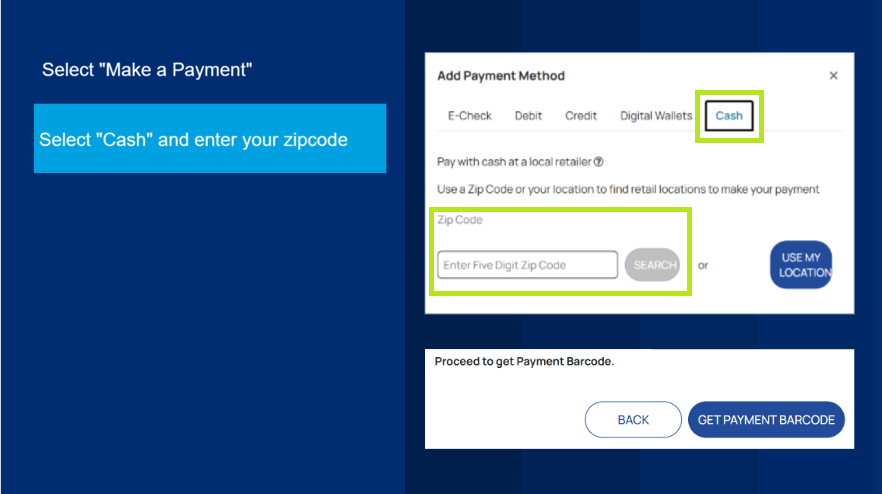
Step 3: Then select the “cash” payment option, enter the amount to pay, and choose a retail location from the provided list to make the payment.
Step 4: Once selected, the portal will provide you with a payment barcode. You must present the barcode to the retail location previously selected to make your payment.
Payment Barcode Important Information
When following the prompts with the “Cash” payment option, you will be asked how much you would like to pay in person and where you would like to complete the payment. The payment barcode will then generate the amount and location you have selected. You must bring and present the payment barcode to continue with the payment option. The payment barcode is valid only for the selected store, and the amount stated must be paid in full. The payment barcode will not work at another store.
Additionally, the payment barcode is valid for only 24 hours. Once expired, you will need to generate a new payment barcode.
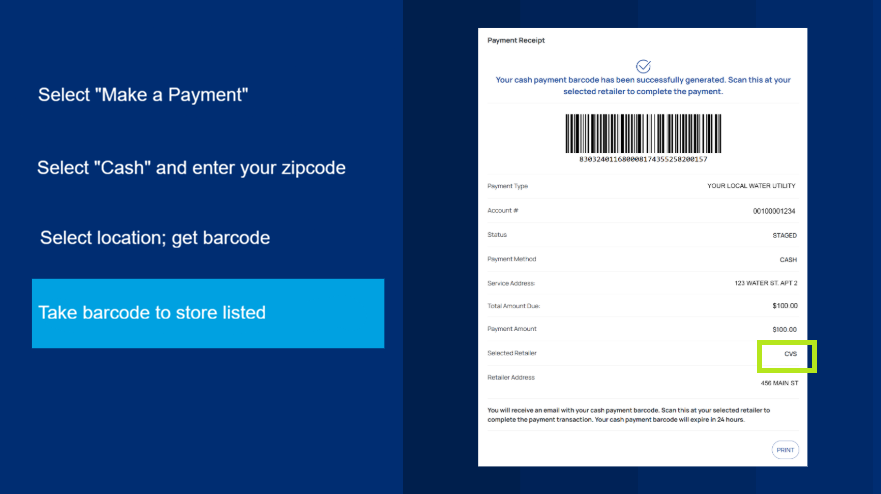
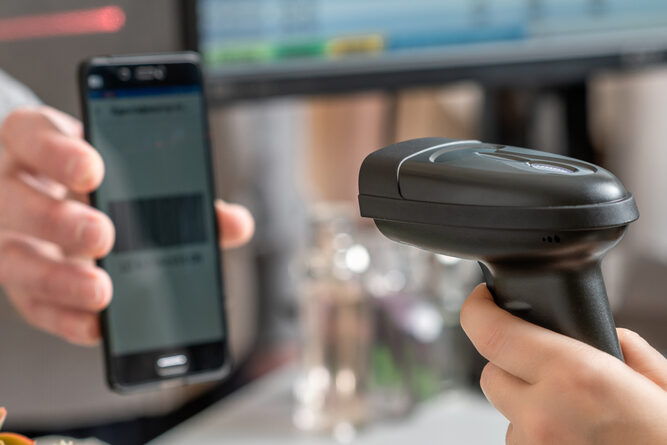
Step 5: Once at the retailer, present the barcode to the cashier, who will scan it, and then you can complete your payment. Remember, you will only be able to pay the previous amount indicated on the payment barcode. The preset amount is listed on the barcode.